Settings Page
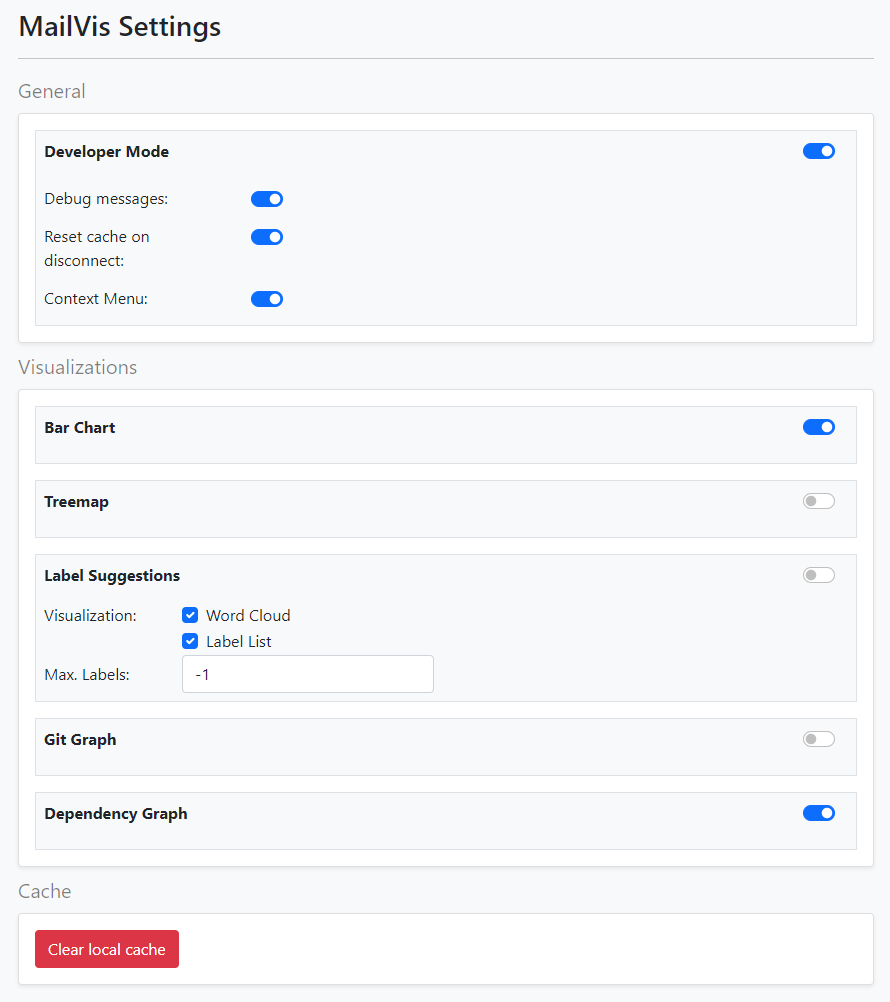
The settings page is accessible either by clicking on the plugin icon or on the “Options” entry of the plugin. When opened, you should be redirected to a page that looks like in the picture above.
First, there are some general settings for developers. In developer mode, debug messages appear in the console, the cache is reset when closing Gmail and a context menu that can print keywords in a modal exists. Each of these options can be turned on/off individually or the developer mode can be turned on/off entirely.
In the visualization section visualizations can be turned off/on. If multiple thread visualizations are active they appear next to each other at the right side when a thread is opened. In the label suggestions section the word cloud and/or a label list can be activated. There is also a number field to change the amount of maximal labels that should be shown inside those visualizations (< 0 means infinite).
The local cache can be reset within the settings menu. Pressing on the red button “Clear local cache” will clear the settings cache (this will reset the settings to default) and the cached data for thread visualizations.